
A system substrate for building embodied intelligence across heterogeneous robots.
robonix.ai · Documentation · Package catalog · Quick start



Robonix is an operating system for embodied intelligence.
Embodied cognition holds that intelligence does not come from representation alone. It emerges from a body interacting with an environment: brain and body act together, and general capability is learned through a closed perceive–plan–act loop with the world. That leaves a question of system design rather than of learning — how should an embodied "brain" be built and run so a machine can work this way at all?
Recent answers come almost entirely from the model side: vision-language-action models, world models that aim to understand and predict an environment, and proposed architectures for an embodied brain. They ask what to learn and how to learn it. We think the brain also has to be supported — developed, deployed, executed, and managed on real hardware — and that this is what an operating system is for. Robonix is our attempt to build one.
The approach is to decouple models from bodies. Robonix treats AI models and skills as programs and exposes robot hardware as discoverable capabilities, so a body is integrated once while models and skills are written against shared interfaces for cameras, lidar, chassis, arms, mapping, navigation, speech, and more. The goal is simple to state: train once, deploy on any robot.
Around that, the concerns common to every perceive–understand–plan–act loop are factored into system services spanning perception, interconnection, cognition, and control, so that each robot does not re-implement them. What we want from this is an ecosystem in which embodied software and hardware can advance independently of one another.

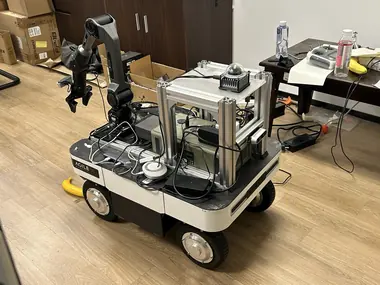
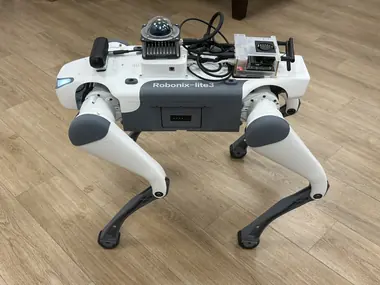
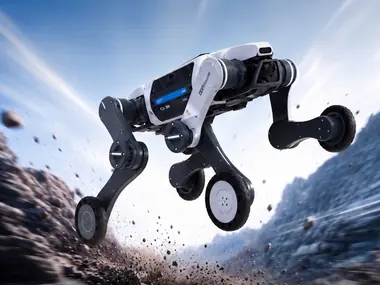
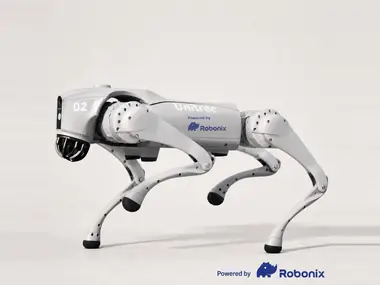
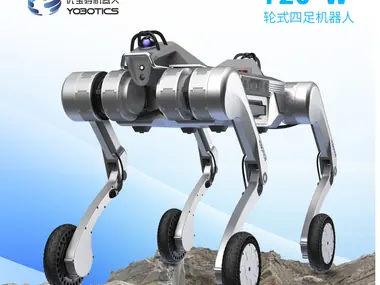
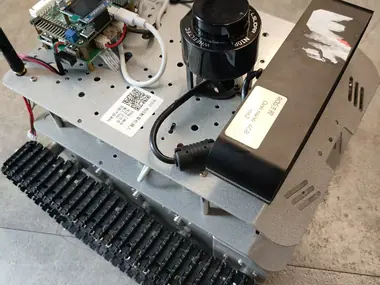
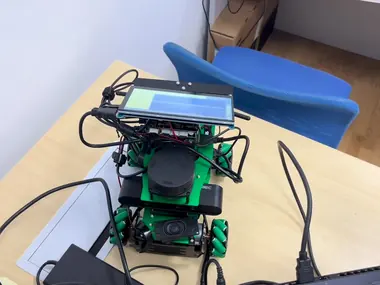
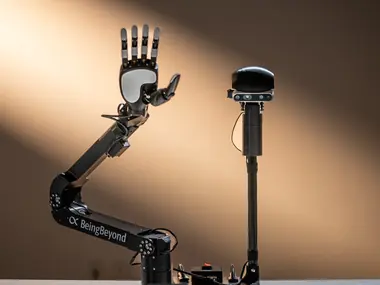
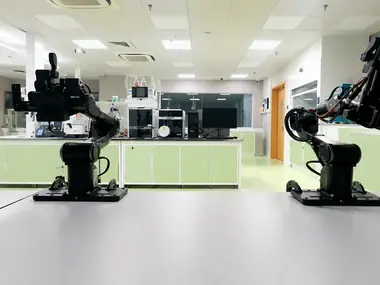
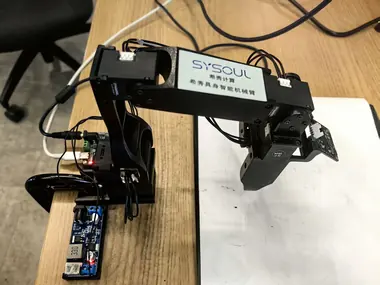
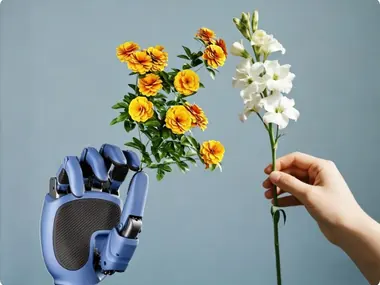
Robot bodies published to the catalog, with more on the way: wheeled, tracked, and quadruped bases, fixed and dual arms, standalone dexterous hands, and two simulated bodies. They span several vendors' chassis SDKs, both ROS 1 and ROS 2, and both grippers and five-finger hands, while running the same system services, capability contracts, and skills.
| Robot | Integrated hardware | Maintained by | Deployment | Catalog |
|---|---|---|---|---|
| AgileX Ranger Mini v3 | Ranger Mini v3 chassis; Livox MID-360 lidar and IMU; Intel RealSense D435i RGB-D camera; optional AgileX Piper arm; audio | syswonder | link | link |
| DEEP Robotics Lite3 | Lite3 quadruped chassis; Livox MID-360 lidar and IMU; Orbbec Gemini 330-series RGB-D camera | Bunnycxk | link | link |
| DEEP Robotics Lynx S10 | Lynx S10 wheeled-quadruped chassis over UDP; Orbbec Gemini 336L RGB-D camera; InternVLA vision-language navigation | 1mujue | link | link |
| Unitree Go2 | Go2 quadruped chassis; onboard lidar, camera, and IMU; audio bridge | Origamii520 | link | link |
| Yobotics Y20W | Y20W chassis motion and posture; Livox MID-360 lidar; Intel RealSense D435i RGB-D camera; speech interaction and scene understanding | chenx1118 | link | link |
| WHEELTEC R550 mini_tank | R550 tracked chassis and IMU; LSLIDAR N10P; Orbbec Astra S RGB-D camera | sherry-part | link | link |
| Yahboom ROSMASTER X3 | ROSMASTER X3 mecanum chassis on Jetson TX2 NX; RPLidar; guarded short-distance ROS 1 move_base navigation over rosbridge |
luoyg0831-a11y | link | link |
| BeingBeyond D1 | Fixed-base 6-DOF arm; 2-DOF head pan/tilt; five-finger dexterous hand; head RGB-D camera; VLM and YOLO-OBB detection with pick, place, stack, and sort skills | Ciliphen | link | link |
| AgileX Dual Piper | Two AgileX Piper arms and factory CAN grippers on independent buses; per-arm joint health telemetry; guarded dual-arm initialization; audio | LittleRookie1115 | link | link |
| WowRobo Roboarm | Five-axis LeRobot Koch arm; Orbbec Gemini 215 RGB-D camera; audio | gaoyz1235 | link | link |
| LinkerBot LinkerHand O6 | Standalone six-axis five-finger dexterous hand over CAN; no arm, base, or camera; gesture and finger-motion skills | Ciliphen | link | link |
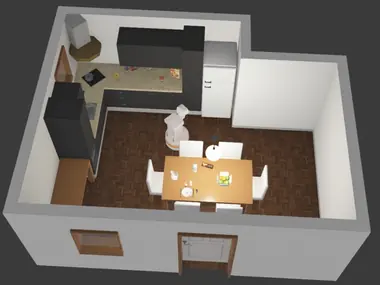
| Webots TIAGo Lite (simulation) | Simulated differential-drive chassis; head RGB-D camera; Hokuyo planar lidar; audio; runs the full stack with no robot hardware | syswonder | link | link |
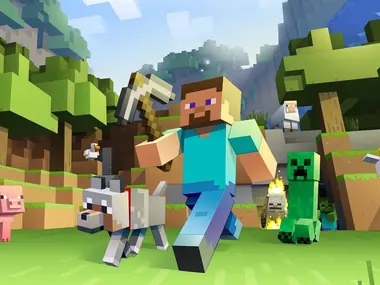
| Minecraft Bot (simulation) | Minecraft player body; camera, chassis, world-state, inventory, navigation, and exploration providers | ZZJJWarth | link | link |
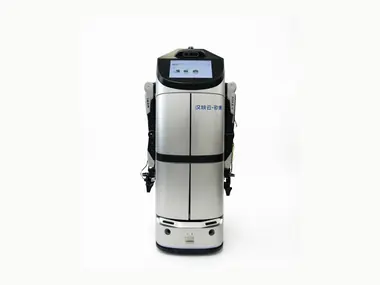
| Hantewin Benben | Benben chassis; Livox MID-360 lidar and IMU; LSLIDAR LakiBeam1; Intel RealSense camera; audio; mapping, navigation, and speech | Futaba19-c | link | link |
Each deployment links the complete robot manifest and its primitive, service, and skill dependencies. Published deployment metadata does not replace the hardware-specific safety, commissioning, and acceptance gates documented by each repository. See the robot catalog for published integrations.
Each robot above is assembled from packages rather than written as one program. A package declares the capabilities it provides against contracts shared across every robot, so what a package offers does not depend on which body it was written for, and a deployment can swap one implementation for another without the layers above noticing.
There are three kinds of provider:
| Kind | Provides |
|---|---|
| primitive | One device — cameras, lidar, chassis, arms, grippers, audio |
| service | Runtime functionality built on those devices — mapping, navigation, grasp pose, memory, perception |
| skill | Reusable execution flows — grasp, place, transfer, explore, data collection |

Browse them in the package catalog, or publish your own with the package integration guide.
| Arch | OS / Distribution | Status |
|---|---|---|
| x86_64 | Ubuntu 22.04 | ✅ Tested |
| x86_64 | Debian 13 | ✅ Tested |
| arm64 | NVIDIA Jetson — JetPack 6.2 (L4T 36.4.3, Ubuntu 22.04) | ✅ Tested |
| x86_64 / arm64 | Ubuntu 24.04 and newer | 🚧 Planned |
"Tested" means the full Robonix pipeline runs end-to-end on that platform — in simulation or on a real robot: voice & interaction, task execution, body movement, scene & mapping (semantic map + spatial map), navigation, and skill execution. Other Linux distributions will likely work but are not regularly verified.
Capability providers that use ROS 2 are built and tested against ROS 2 Humble.
Install these from their own documentation first — Robonix does not provide or install them for you.
| Tool | Why it is needed | Install |
|---|---|---|
| Rust (stable) | The system components are Rust; make install builds them with cargo |
rustup.rs |
| uv | Resolves and runs the Python workspace — services and primitives | docs.astral.sh/uv |
| Docker | Runs the Webots simulator stack, and any capability provider you choose to containerise | docs.docker.com |
Rust and uv install into your home directory, so put them on PATH before continuing:
export PATH="$HOME/.local/bin:$HOME/.cargo/bin:$PATH"git clone --recursive https://github.com/syswonder/robonix.git
cd robonix
make installThis builds the system components and the rbnx CLI into ~/.cargo/bin. See Host Platforms for what is regularly tested.
Start the Webots simulator in one terminal:
export DISPLAY=:0
bash examples/webots/sim/start.sh
Boot Robonix in a second terminal with any OpenAI-compatible VLM endpoint:
export RMW_IMPLEMENTATION=rmw_zenoh_cpp
export VLM_BASE_URL=https://api.openai.com/v1
export VLM_API_KEY=sk-...
export VLM_MODEL=your-model-name

cd examples/webots
rbnx build
rbnx boot
Then run rbnx chat in a third terminal. Try go to room 101, what can you see?, or explore the office. See the Getting Started guide for the complete walkthrough.
The Robonix package template contains a mock primitive, a service, and a skill that boot without robot hardware:
git clone https://github.com/syswonder/template-rbnx.git
cd template-rbnx
cp .env.example .env
# Fill in the three VLM values in .env.
set -a; source .env; set +a
rbnx build
rbnx boot
Run rbnx caps to inspect the live providers, then try rbnx chat and ask the robot to say hello. Each example package keeps its manifest, config.spec, build/start scripts, implementation, and optional capability definitions in one directory. Start there, then follow the package integration guide to publish a reusable package.
Robonix divides the work of an embodied brain across twelve system components, keeping planning, execution, state, and health separate from individual hardware drivers and skills. In the operating-system analogy, models and skills are programs and robot capabilities are resources: running plans have explicit identity and state, so they can be observed, steered, and cancelled without every skill re-implementing those mechanisms.
| Component | What it is |
|---|---|
| atlas | The catalog of every running primitive / service / skill and its contract; components find and connect to capabilities through it |
| soma | Serves the robot's body description — soma.yaml and its URDF — to every other component |
| scene | Current best estimate of the environment: tracked objects with pose and class, their relations, and a 2D occupancy grid |
| pilot | Builds the prompt from the capability catalog, asks the VLM, and turns the answer into an executable plan |
| executor | Executes those plans — dispatches each step to a primitive, service, or skill through atlas, with observable task state |
| liaison | The user-input gateway in front of pilot: text and push-to-talk voice, identity, and access policy |
| vitals | Monitors onboard health — temperatures, voltage, joint motors — and evaluates thresholds |
| scribe | The structured logging library every component writes its journal through |
| sentinel | Decides whether a capability call is allowed under the current robot state, operator, and policy |
| keystone | Stores the body's identity, persistent configuration, and operator access policy |
| chronos | A single time source that aligns timestamps across sensors, actuators, and components |
| nexus | Inter-component communication over gRPC, MCP, and ROS 2 |
The contracts these components and every package implement live in capabilities/. Reference implementations of the built-in services ship in services/; a deployment may replace any of them, and primitives and skills live in their own repositories.
Full documentation lives at book.robonix.ai.
Getting started
- Quickstart — the full version of the Webots walkthrough in this README
- Host Platforms — what is tested, and what is not
Understanding the system
- Architecture overview — the control plane, and one full request end to end
- Namespaces & contracts — how
robonix/primitive/*,robonix/service/*,robonix/skill/*, androbonix/system/*relate - Interface catalog — every primitive and service contract, generated from
capabilities/
Building on it
- Package integration guide — write a package and publish it to the catalog
- Package catalog — every published package, browsable by kind
- Robot catalog — every published deployment, with its full dependency tree
Release history lives in CHANGELOG.md, formatted per Keep a Changelog. Contributors add entries under ## [Unreleased]; they are moved into a versioned section at release time.
See CONTRIBUTING.md for the repository's license headers, code style, validation commands, commit format, human-authorship policy, and AI assistance disclosure rules.
Mulan Permissive Software License, Version 2 (MulanPSL-2.0). See LICENSE.